




This is a preview of updates coming to the Technical Bulletin's website in early December 2025. Return to current site.
Read more about the modernization release schedule in this announcement.
Comment via the yellow feedback button in the lower right hand corner of the page. Contact the NLM Help Desk with any questions or concerns.
This is archived content.
Links may have become inactive over time. Visit Archive-It to find the original published layout.
Search Auto-Complete Feature Added to NLM Main Web Site, MedlinePlus and MedlinePlus en Español
Burgess S. and Dine B. Search Auto-Complete Feature Added to NLM Main Web Site, MedlinePlus and MedlinePlus en Español. NLM Tech Bull. 2011 Nov-Dec;(383):e2.
November 08, 2011 [posted]
In November 2011, the National Library of Medicine® (NLM®) released a search box auto-complete feature for the NLM main Web site, MedlinePlus® and MedlinePlus en español. Auto-complete improves the search experience on these sites by:
- suggesting relevant terms and phrases as users begin typing;
- helping users execute searches and arrive at a focused set of results more quickly;
- guiding users to content that exists on the site;
- providing accurate spellings to help users avoid misspellings; and
- suggesting new lines of inquiry for users exploring a topic.
As a user types a query, a list of suggested terms and/or phrases displays dynamically beneath the search box (see Figure 1). The suggested terms appear after three or more letters are entered into the box. The suggestions begin with or contain the word and/or phrase in the search query. Letters not yet typed appear in bold. As a user types more letters, the suggestions automatically update to reflect different terms or phrases. No more than five terms and/or phrases appear in the suggestion list for each query. A light gray bar highlights the suggestions as a cursor scrolls up or down the list. Users can also use the arrow keys on their keyboards to navigate through the list. Once a user clicks on the preferred term or phrase, the suggestion populates the search box, and the search engine executes the query.
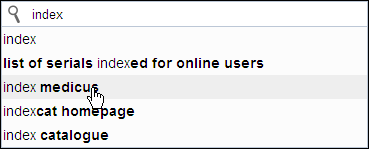
Figure 1: Auto-complete suggestions for "index"
on the NLM main Web search.
The auto-complete feature appears in search boxes across MedlinePlus, MedlinePlus en español (see Figure 2 and Figure 3), and the NLM main Web site (see Figure 4).
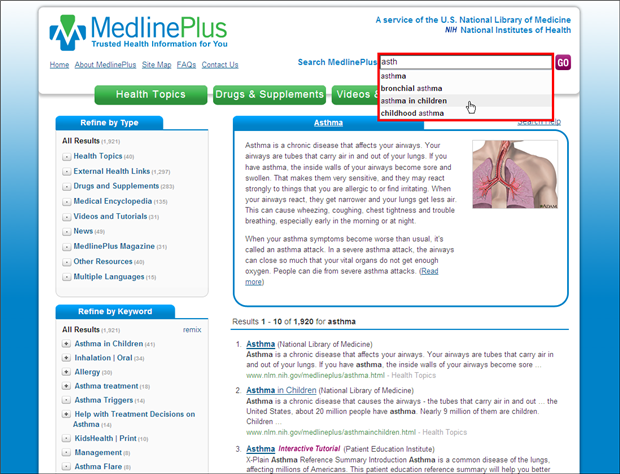
Figure 2: The auto-complete feature appears in search boxes throughout the MedlinePlus site.
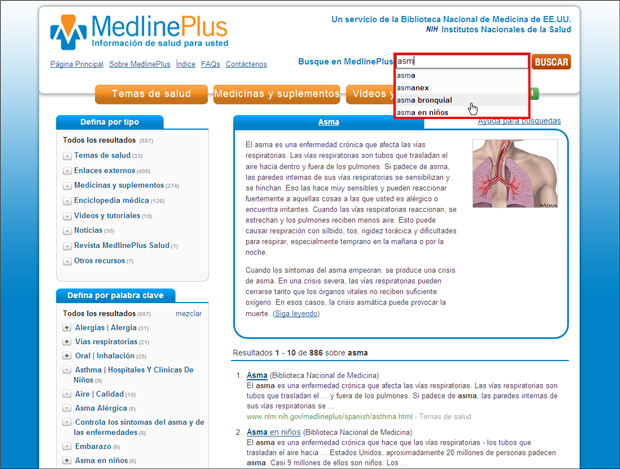
Figure 3: The auto-complete feature appears in search boxes throughout the MedlinePlus en español site.
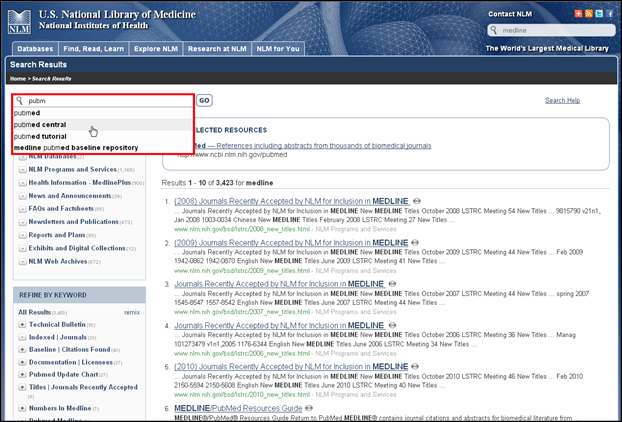
Figure 4: The auto-complete feature appears in search boxes throughout the NLM main Web site.