




This is a preview of updates coming to the Technical Bulletin's website in early December 2025. Return to current site.
Read more about the modernization release schedule in this announcement.
Comment via the yellow feedback button in the lower right hand corner of the page. Contact the NLM Help Desk with any questions or concerns.
This is archived content.
Links may have become inactive over time. Visit Archive-It to find the original published layout.
A New Look and Feel for the PubMed Central® Public Access Page
Fogelman M. A New Look and Feel for the PubMed Central® Public Access Page. NLM Tech Bull. 2010 Nov-Dec;(377):e10.
November 30, 2010 [posted]
The PubMed Central (PMC) Public Access & PMC page, available from the sidebar on the About PMC page, was recently updated to provide greater clarity and usability. Two new features were added:
- Top-of-the-page links to navigate page content
- A table for locating article reference numbers
New Location for Navigation Links
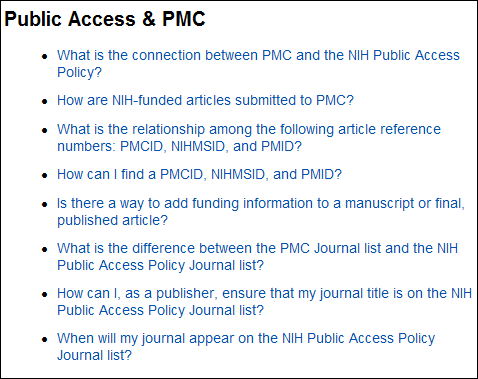
The Public Access & PMC page was reorganized and links to the page content are now at the top of the page (see Figure 1). The new design makes it easy to see what the page contains and how to find the answers to your Public Access-related questions.
We've Got Your Numbers
Additionally, a new table (see Figure 2) demonstrates all the ways to locate the identification number of an article or manuscript — whether you’re looking for a PubMed identifier (PMID), NIH Manuscript Submission identifier (NIHMSID) , or perhaps most important, the PMC identifier (PMCID), which is the identification number that must be cited by recipients of NIH funding to demonstrate compliance with the NIH Public Access Policy. As seen in the table below, you can find these numbers through viewing the PubMed abstract; a PMC search result; and in the PMC display for the final, published article or the author manuscript. To reach this table click on the question, "How can I find a PMCID, NIHMSID, and PMID?"
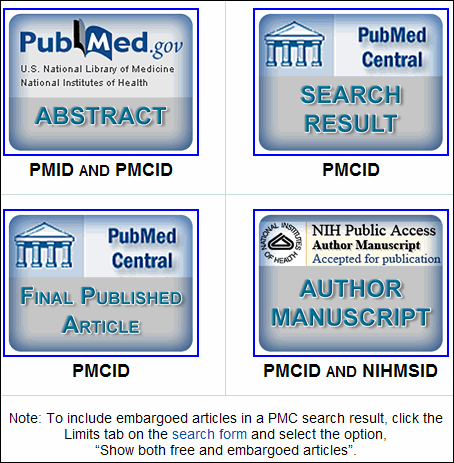
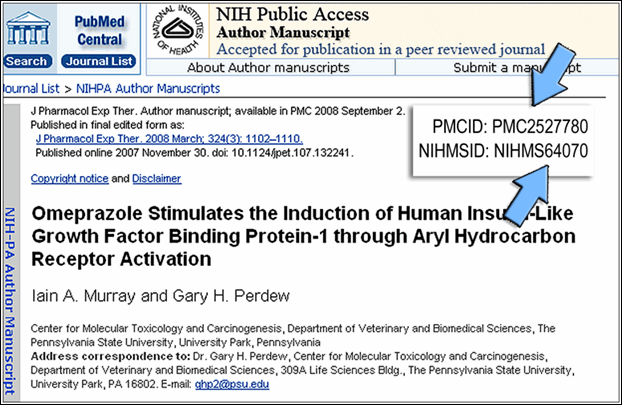
To see where the article identification numbers appear in each of the four images, you may either hover over or click on the particular image. If you point your cursor on the image, you’ll get a pop-up window as shown in Figure 3 for the Author Manuscript selection.
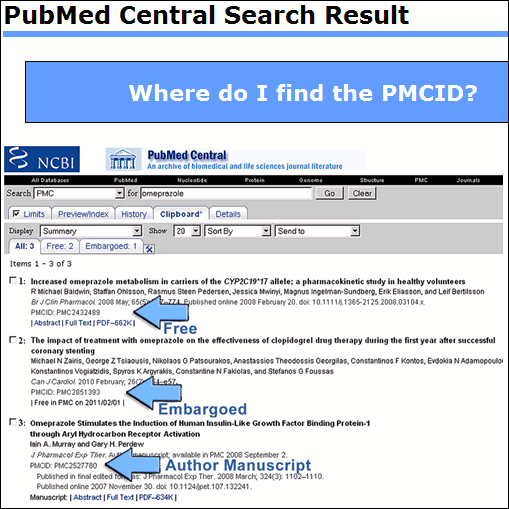
If you choose to click on one of the images, then you will get a different but equally informative view, as in Figure 4 below showing the PMC search result selection.
So, sit back and enjoy the view — and learn more about Public Access!
To learn about PMC developments as they happen, subscribe to the PMC mailing list.