




This is a preview of updates coming to the Technical Bulletin's website in April 2026. Return to current site.
Read more about the modernization release schedule in this announcement.
Comment via the yellow feedback button in the lower right hand corner of the page. Contact the NLM Help Desk with any questions or concerns.
This is archived content.
Links may have become inactive over time. Visit Archive-It to find the original published layout.
Redesigned PRS Protocol Registration Launched in PRS Beta
Redesigned PRS Protocol Registration Launched in PRS Beta. NLM Tech Bull. 2023 Mar-Apr;(452):e1.
May 04, 2023 [posted]
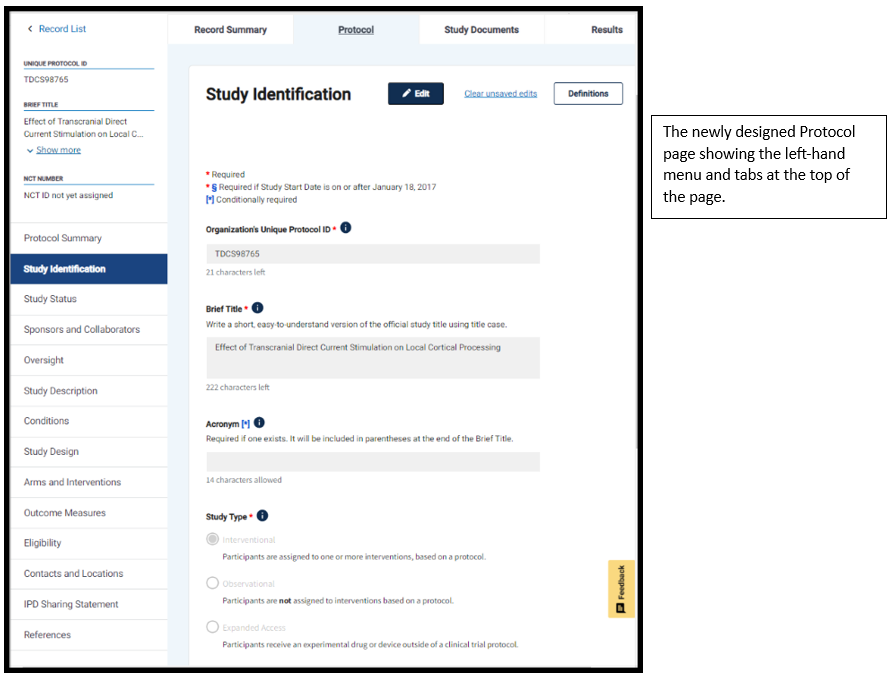
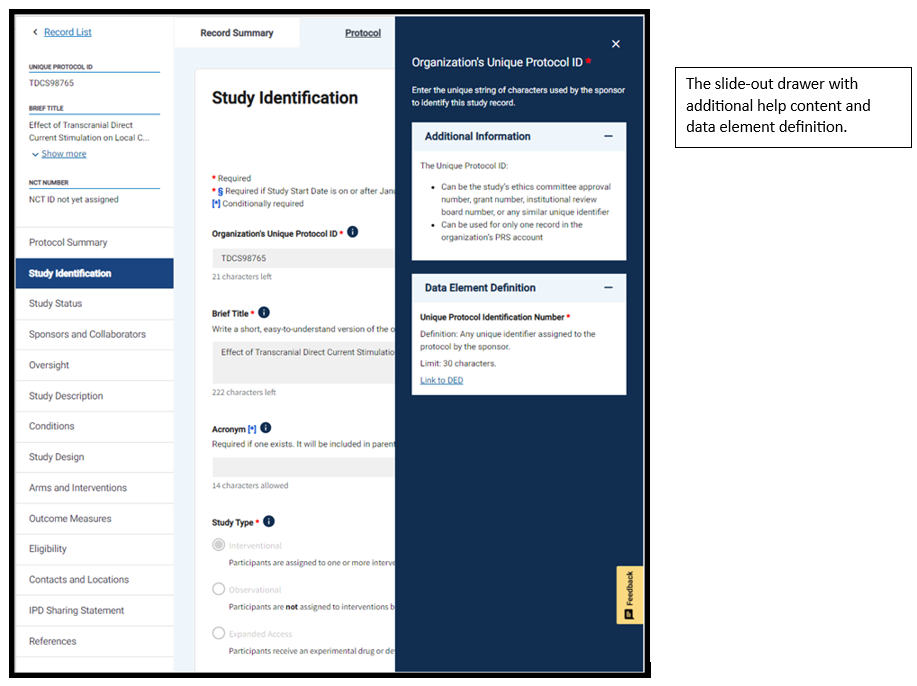
As part of the ClinicalTrials.gov modernization effort, updated versions of the protocol registration modules are now available in the Protocol Registration and Results System (PRS) Beta. The basic protocol registration data element requirements remain the same, but there is a new, user-friendly design with a fresh color scheme, larger fonts, and clearly identifiable sections and labels. A left-hand menu has been added to improve navigation between modules, and tabs are positioned at the top of the page to help users navigate to other parts of the study record. In addition, the Unique Protocol ID, Brief Title, and NCT Number (if there is one) are located in a prominent position visible on the Record List and protocol registration pages.
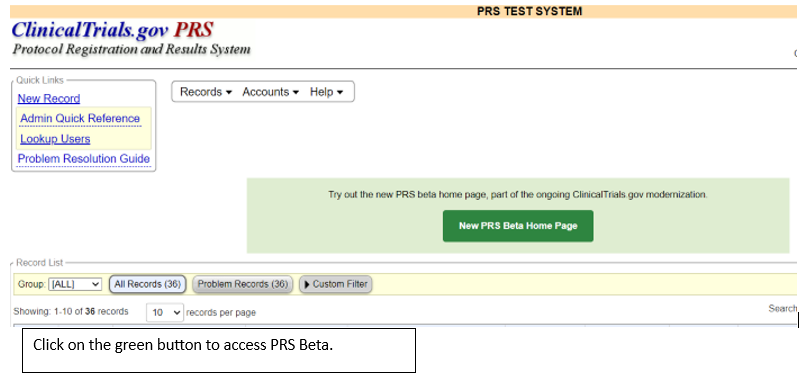
To see the new changes, you can access PRS Beta from the PRS using the link in the green text box. This will take you to the Record List, where you can open any record in the PRS Beta system. Note that data entered in PRS Beta will be saved on both the classic and beta sites, but data providers will need to use the classic PRS to submit their study protocols for review.
Users can now create a new record by selecting “Create New Record” from the Records drop-down menu at the top of the page, which is also visible on the Record List and protocol registration pages. New records created in PRS Beta, as well as any updates made to existing records, will also be available in the classic PRS. To help users manage their records, the Record Summary and protocol summary pages will be added in the near future.
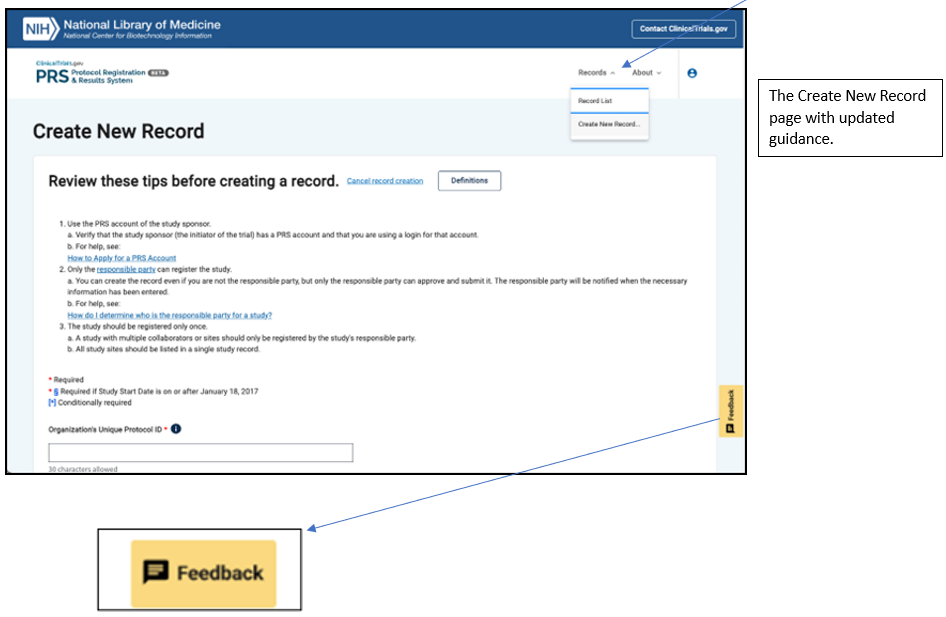
PRS Beta will continue to be expanded and improved. More features will be added as we work to achieve our goal of an improved user experience on an updated platform that will accommodate growth and enhance efficiency. User feedback is essential to this process, so please use the Feedback button in the lower right corner of the screen to let us know what you think. We will use your input to modify and improve the features you see on this page, as well as features we will be adding in future releases.