




This is a preview of updates coming to the Technical Bulletin's website in April 2026. Return to current site.
Read more about the modernization release schedule in this announcement.
Comment via the yellow feedback button in the lower right hand corner of the page. Contact the NLM Help Desk with any questions or concerns.
This is archived content.
Links may have become inactive over time. Visit Archive-It to find the original published layout.
PubMed Filters Sidebar Replaces the Limits Page
Canese K. PubMed Filters Sidebar Replaces the Limits Page. NLM Tech Bull. 2012 May-Jun;(386):e3.
May 02, 2012 [posted]
May 10, 2012
[Editor's note added]
May 15, 2012
[Editor's note added]
[Editor's note: These changes were implemented in PubMed on May 10, 2012.]
[Editor’s note: The PubMed Tutorial has been updated to reflect this recent change. Also, see the Filters Sidebar tutorial on YouTube on May 15, 2012.]
In order to provide users with a more visible and accessible way to narrow PubMed results, the Limits page will be replaced by a results filter sidebar. The filter sidebar options will work the same way as the limit selections; that is, once a filter is selected it will be activated for subsequent searches until the selection is cleared (see Figure 1).
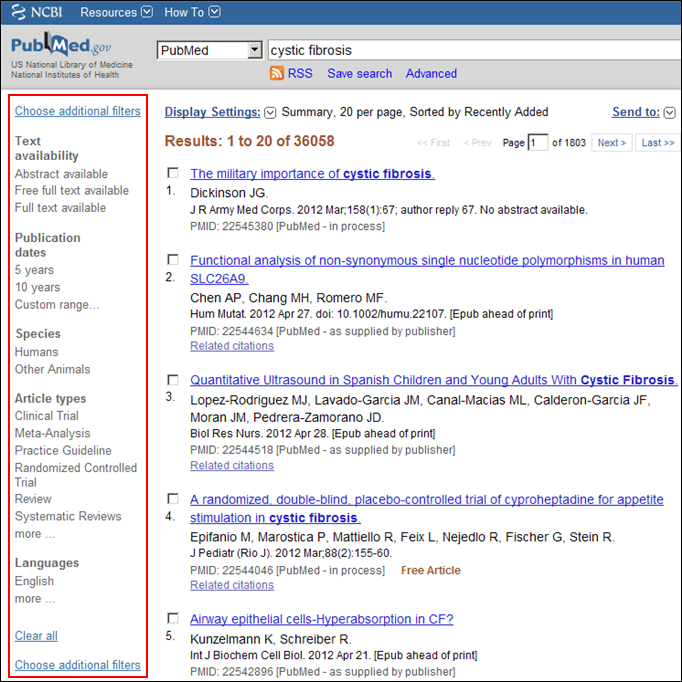
Figure 1: PubMed results with default filter sidebar options.
Click a filter to narrow your search results, e.g., you may filter your search results for cystic fibrosis to Clinical Trial and articles published in the last 10 years. A "Filters activated" message will display on the result page (see Figure 2).
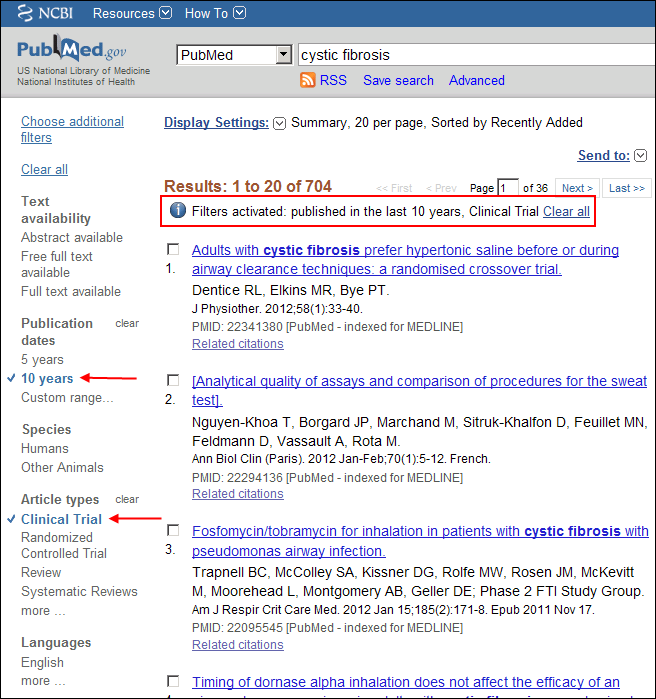
Figure 2: PubMed cystic fibrosis results filtered by the last 10 years publication date
and Clinical Trial.
Only valid filter options for a result set will display on the sidebar, e.g., Meta-Analysis was removed from the filter list in the search above because none of the result citations were tagged with that article type.
To turn off filters, click either the “Clear all” link to remove all the filters, the “clear” link next to a filter category to clear the selections within that category, or the individual filter.
To add additional filter categories to the sidebar, click the “Choose additional filters” link, select the additional categories, and then click Apply (see Figure 3).
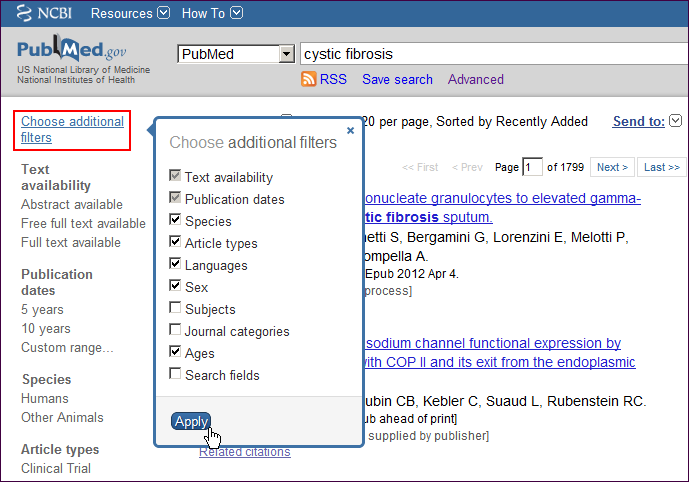
Figure 3: Filters sidebar “Choose additional filters” pop-up selection box with Sex
and Ages selected.
To add filters to the sidebar for categories with many selections, click the category “more …” link, select the additional filters, and then click Apply (see Figure 4).
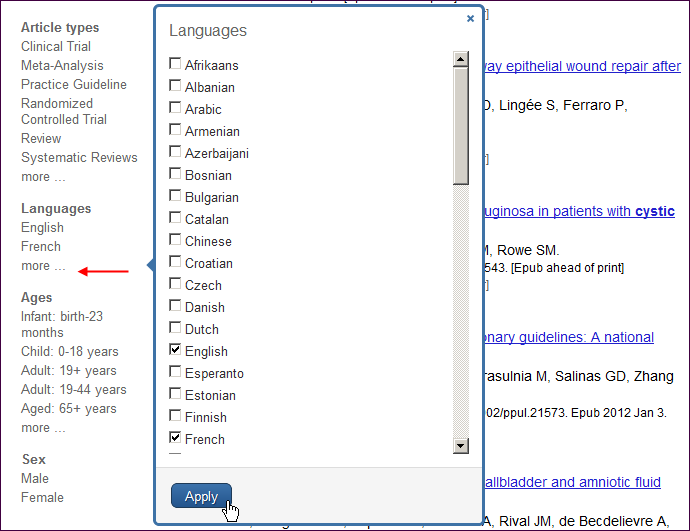
Figure 4: Filters sidebar category “more …” pop-up selection box with languages selected.
The PubMed default Review and Free full text filters have been moved to the filters sidebar. The “Filter your results” portlet will eventually be incorporated into the filters sidebar.