




This is a preview of updates coming to the Technical Bulletin's website in April 2026. Return to current site.
Read more about the modernization release schedule in this announcement.
Comment via the yellow feedback button in the lower right hand corner of the page. Contact the NLM Help Desk with any questions or concerns.
This is archived content.
Links may have become inactive over time. Visit Archive-It to find the original published layout.
New Search Interface for the NLM IndexCat Database
DuQuette LA, Smith CN. New Search Interface for the NLM IndexCat. NLM Tech Bull. 2014 Mar-Apr;(397):e1.
March 25, 2014 [posted]
NLM is pleased to announce the launch of a new user interface for the IndexCat database. Utilizing the IBM® InfoSphere Data Explorer (DE) software, the new interface offers a faster response time to searches; full record displays in search results; and also record sorting and refinements. NLM also uses DE as the search engine for our main Web site, as well as MedlinePlus, MedlinePlus en Español, the Directory of the History of Medicine Collections search engine, and the History of Medicine Finding Aids Consortium. The DuraSpace Fedora platform will be used for storage of the data.
IndexCat simultaneously searches the digitized version of the printed Index-Catalogue of the Library of the Surgeon General's Office; eTK for medieval Latin texts; and eVK2 for medieval English texts; and LocatorPlus. You can link directly to LocatorPlus and, if onsite, can request materials to research in the library.
A post in the NLM Circulating Now blog offers additional information on IndexCat.
Searching the New IndexCat
There are a number of new and revised FAQs and Help pages to assist with searching IndexCat.
When you enter a search term, the Index-Catalogue, eTKeVK2, and LocatorPlus tabs are displayed. To see your search results, click on the respective tab.
The new IndexCat features include:
- keyword searching for terms anywhere in the bibliographic description (see Figure 1);
- search refinements and sorting options (see Figures 2 and 3);
- combination searching using Boolean AND, OR, or NOT (see Figure 4);
- phrase searching using double quotes (see Figure 5); and
- final truncation using an asterisk * (see Figure 6 illustrates searching without truncation and Figure 7 for searching with truncation).
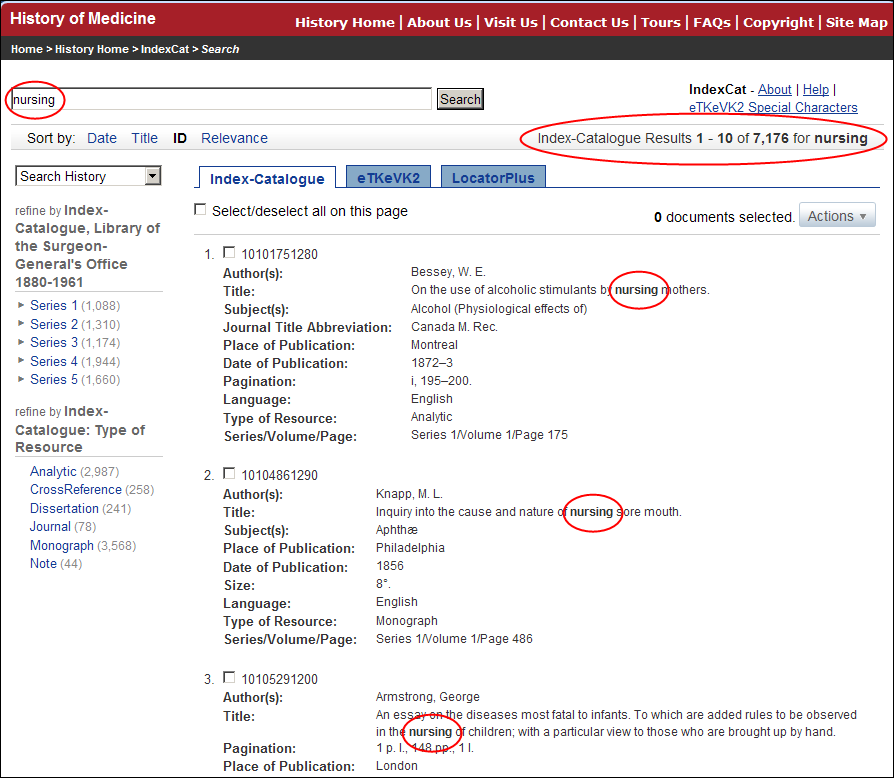
Figure 1: IndexCat keyword search using the term nursing.
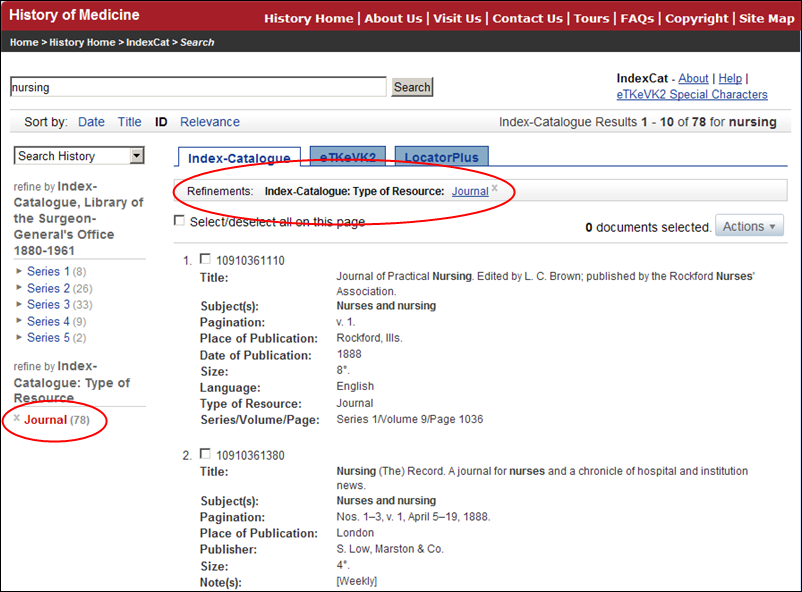
Figure 2: Refining IndexCat keyword search results by Index-Catalogue: Type of Resource: Journal.
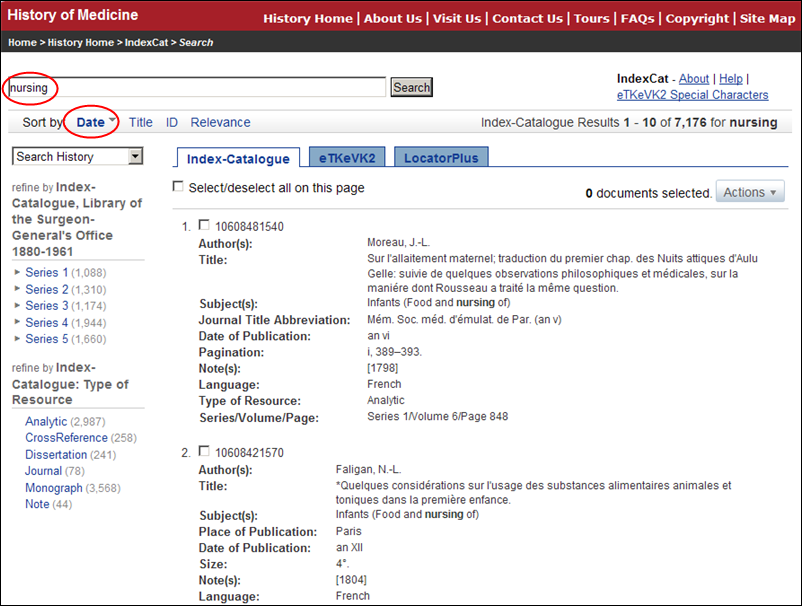
Figure 3: Sorting IndexCat search results by Date (ascending shown).
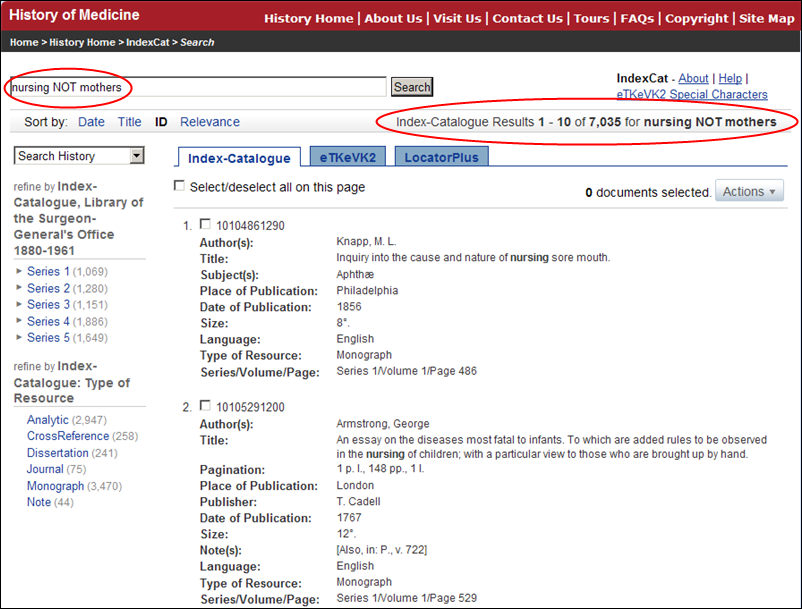
Figure 4: Combination IndexCat searching using the Boolean operator NOT – nursing NOT mothers.
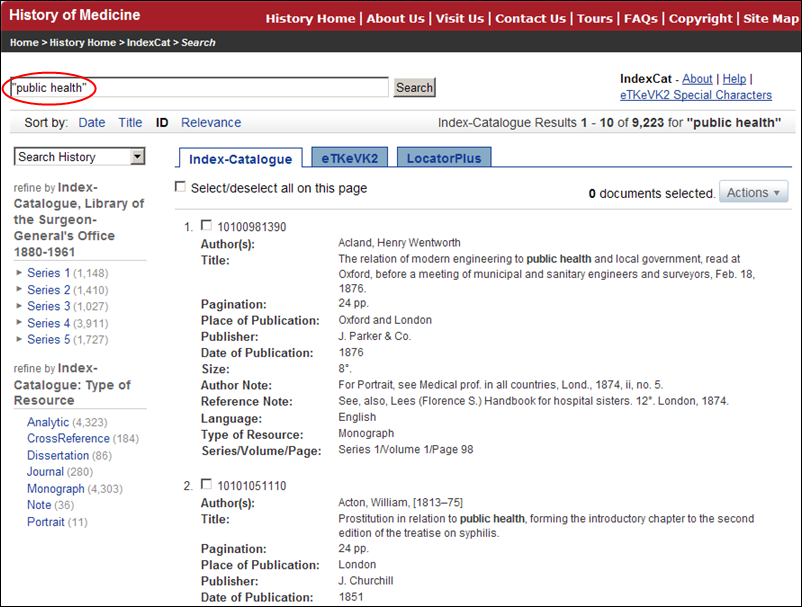
Figure 5: IndexCat phrase searching: use quotes – "public health".
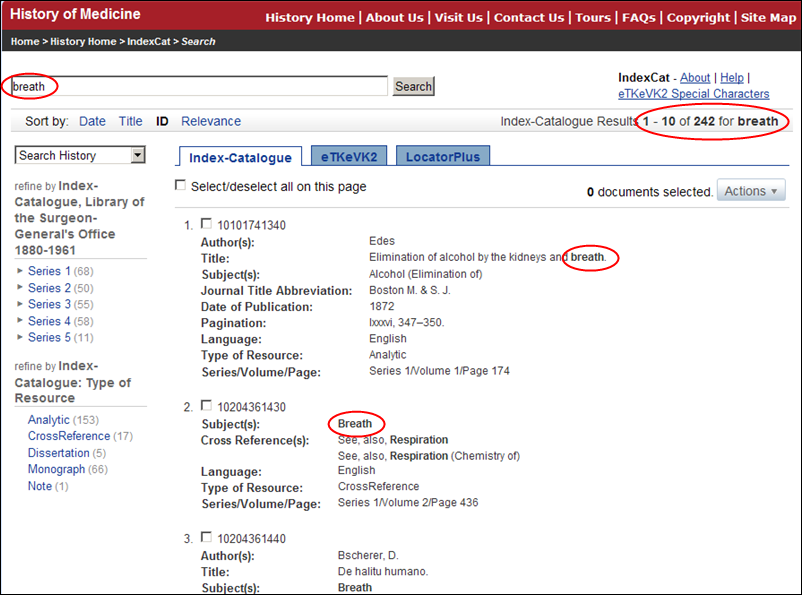
Figure 6: IndexCat searching without truncation for breath yields 242 results.
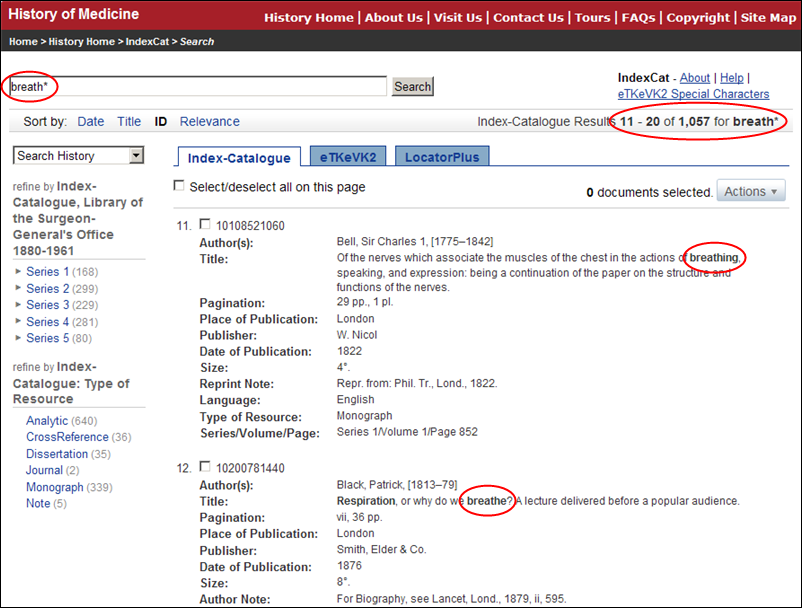
Figure 7: IndexCat searching with truncation use breath* yields 1057 results.