




This is a preview of updates coming to the Technical Bulletin's website in April 2026. Return to current site.
Read more about the modernization release schedule in this announcement.
Comment via the yellow feedback button in the lower right hand corner of the page. Contact the NLM Help Desk with any questions or concerns.
This is archived content.
Links may have become inactive over time. Visit Archive-It to find the original published layout.
PubMed Mobile Beta
Canese K, Welker E. PubMed Mobile Beta. NLM Tech Bull. 2011 Mar-Apr;(379):e7.
March 17, 2011 [posted]
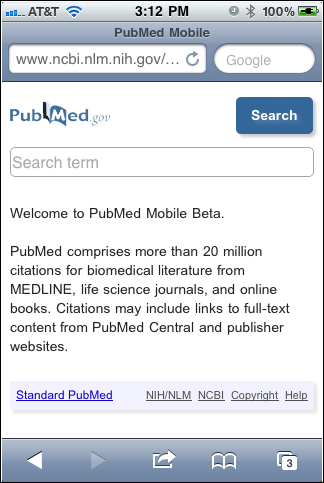
PubMed® Mobile Beta provides a simplified mobile friendly Web interface to access PubMed. PubMed Mobile includes the same basic search functionality and content as Standard PubMed; that is, all search terms and fields work similarly (see Figure 1).
Simply enter your search in the search box and click "Search" (see Figure 2).
The inital (Summary) display includes the article title, first author's name, journal title abbreviation, and year of publication.
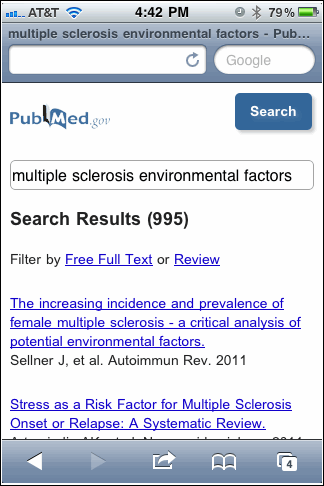
Click "Free Full Text" or "Review" on the Summary search results page to filter your results. Click "Next" to go to subsequent search result pages.
Click the article title to display the Abstract format (see Figure 3).
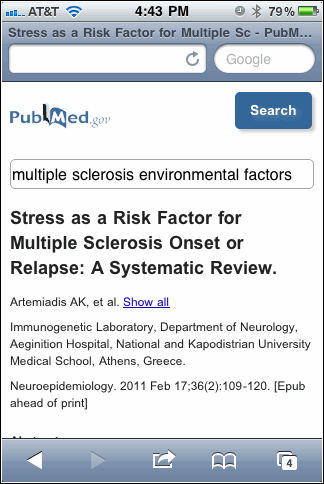
Not all data provided on the Standard PubMed Abstract format are included (for example, MeSH® vocabulary); to see complete data use the link to Standard PubMed.
Related Citations display below the abstract. On the abstract page, click "Previous" or "Next" to navigate to other citation abstracts. Click the "Back to results" link to redisplay the Summary search results (see Figure 4).
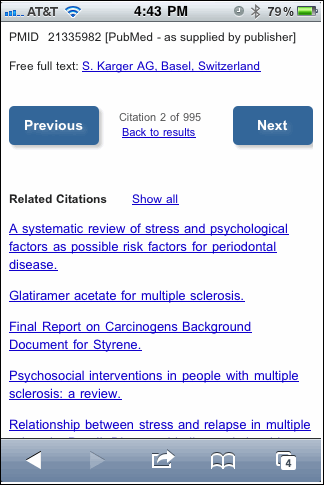
A link to Standard PubMed is available at the bottom of all PubMed Mobile pages.
PubMed Mobile does not include specialized search pages, such as Limits and Advanced search, or added features, such as My NCBI, Clipboard, or LinkOut/Outside Tool. To use these and other PubMed features, display your retrieval in Standard PubMed via the link at the bottom of the screen.