




This is a preview of updates coming to the Technical Bulletin's website in April 2026. Return to current site.
Read more about the modernization release schedule in this announcement.
Comment via the yellow feedback button in the lower right hand corner of the page. Contact the NLM Help Desk with any questions or concerns.
This is archived content.
Links may have become inactive over time. Visit Archive-It to find the original published layout.
PMC Citation Exporter Feature Now Available
Allen L. PMC Citation Exporter Feature Now Available. NLM Tech Bull. 2015 Jan-Feb;(402):e4.
January 26, 2015 [posted]
NCBI is happy to announce the addition of a citation exporter feature to PMC (PubMed Central). This feature makes it easy to retrieve styled citations that you can copy and paste into your manuscripts or download into a format compatible with your bibliographic reference manager software.
When viewing an Entrez search results page, each result summary will now include a "Citation" link. (See Figure 1.)
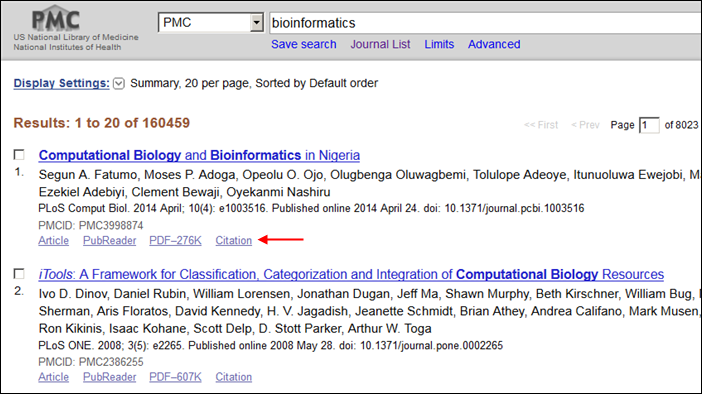
Figure 1: PMC Search Results include a "Citation" link.
When the Citation link is clicked (see Figure 2), this will open a pop-up window that you can use to copy and paste citations formatted in one of three popular styles: AMA (American Medical Association), MLA (Modern Language Association), or APA (American Psychological Association). In addition, the box includes links at the bottom that can be used to download the citation information in one of three machine-readable formats, which most bibliographic reference management software can import.
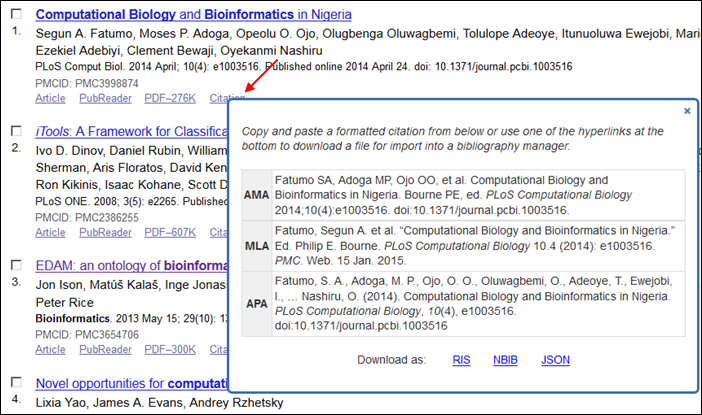
Figure 2: Citation Box displayed on Search Results page.
The same citation box can also be invoked from within an individual article, either in classic view (with the "Citation" link among the list of Formats, see Figure 3) or in the PubReader view (see Figure 4) by clicking on the citation information immediately below the article title in the banner.
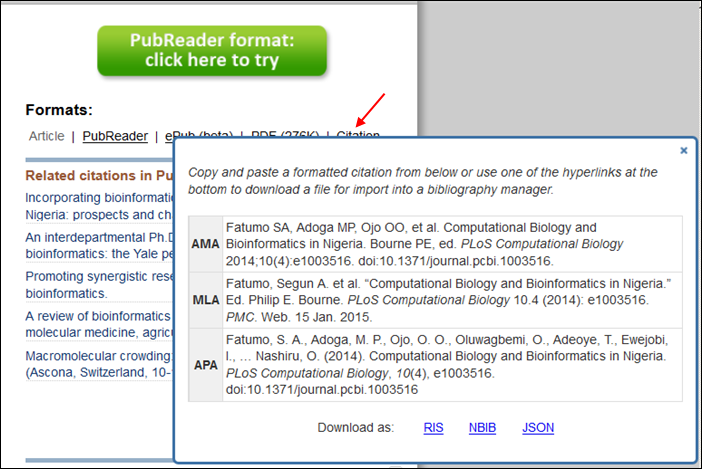
Figure 3: Citation box displayed within article view.
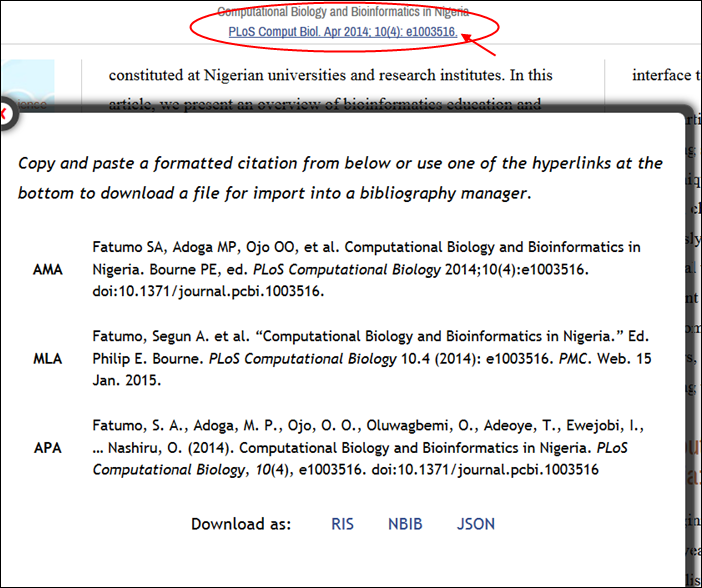
Figure 4: Citation box displayed in PubReader view
(by clicking on hyperlinked citation at top of page).
These human-readable styled citations, and machine-readable formats will be available through a public API, and we will be providing more details about that in another announcement, via the PMC-Utils-Announce mailing list. Please subscribe to that list if you are interested in learning more!