




This is a preview of updates coming to the Technical Bulletin's website in April 2026. Return to current site.
Read more about the modernization release schedule in this announcement.
Comment via the yellow feedback button in the lower right hand corner of the page. Contact the NLM Help Desk with any questions or concerns.
This is archived content.
Links may have become inactive over time. Visit Archive-It to find the original published layout.
Improved Serials Searching in the NLM Catalog
Boehr D. Improved Serials Searching in the NLM Catalog. NLM Tech Bull. 2015 Jan-Feb;(402):e4.
January 27, 2015 [posted]
February 13, 2015
[Editor's note added]
On January 9, 2015 NLM unique identifiers (UIs) were added to linking fields (e.g. earlier title/later title, absorbed by, split from/split into, supersedes, etc.) in most serial records where NLM has a bibliographic record for the related title.
Over 19,000 records were able to be linked in this manner. This will allow the NLM Catalog to provide direct links between related titles, rather than the current linking search strategy which does a keyword search for words in the title. Search strategies in the NLM Catalog are being updated to take advantage of these direct hotlinks and should be usable in about a month.
NLM Catalog
Users will soon be able to click on the title in the "Continues" field and be taken directly to that title (see Figure 1).
[Editor's note: This feature was implemented in the NLM Catalog on February 12, 2015.]
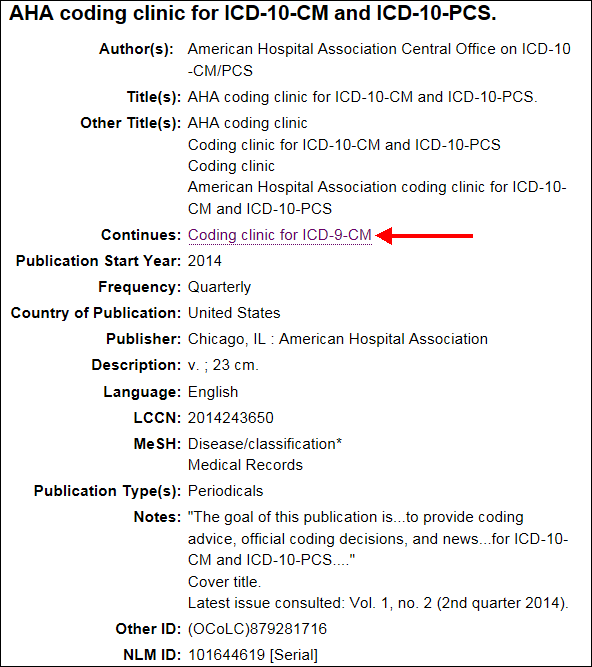
Figure 1: Select the title in the "Continues" field of the NLM Catalog.
LocatorPlus
While the UIs are not linked directly in LocatorPlus, they are expected to provide direct linking in any new discovery and delivery product that replaces LocatorPlus. LocatorPlus users can use the new data to find related titles. Users should go to the MARC View of a particular serial record with a linking note and look for the $w with a (DNLM) prefix in any MARC 76X, 77X, or 78X field to find the NLM UI for the linking record. Searching that UI as a keyword search will directly retrieve the related title.
Summary View
LocatorPlus users will see the same "Continues" note, but to find the record for that title, they must click on the MARC View tab (see Figure 2).
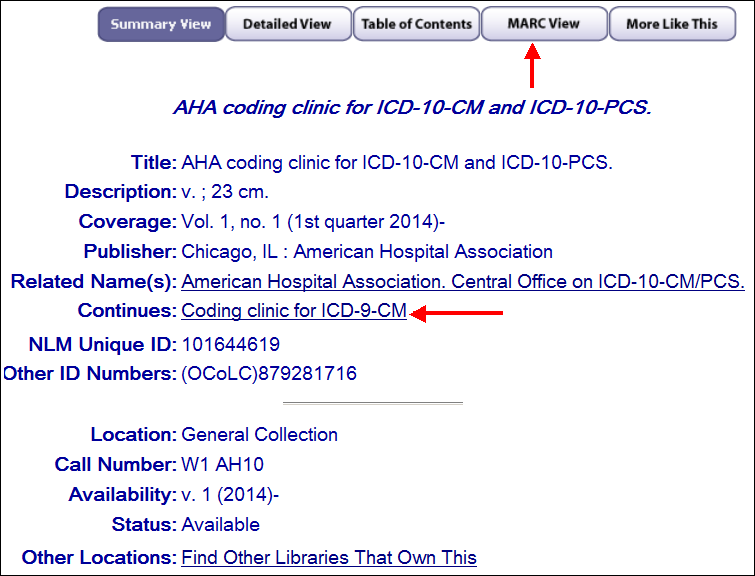
Figure 2: Select the MARC View tab to find the NLM UI to search for the related title in LocatorPlus.
MARC View
Once in the MARC view, scroll down to the 780 field. The desired linking title can be found along with the NLM UI in the last $w field (see Figure 3).
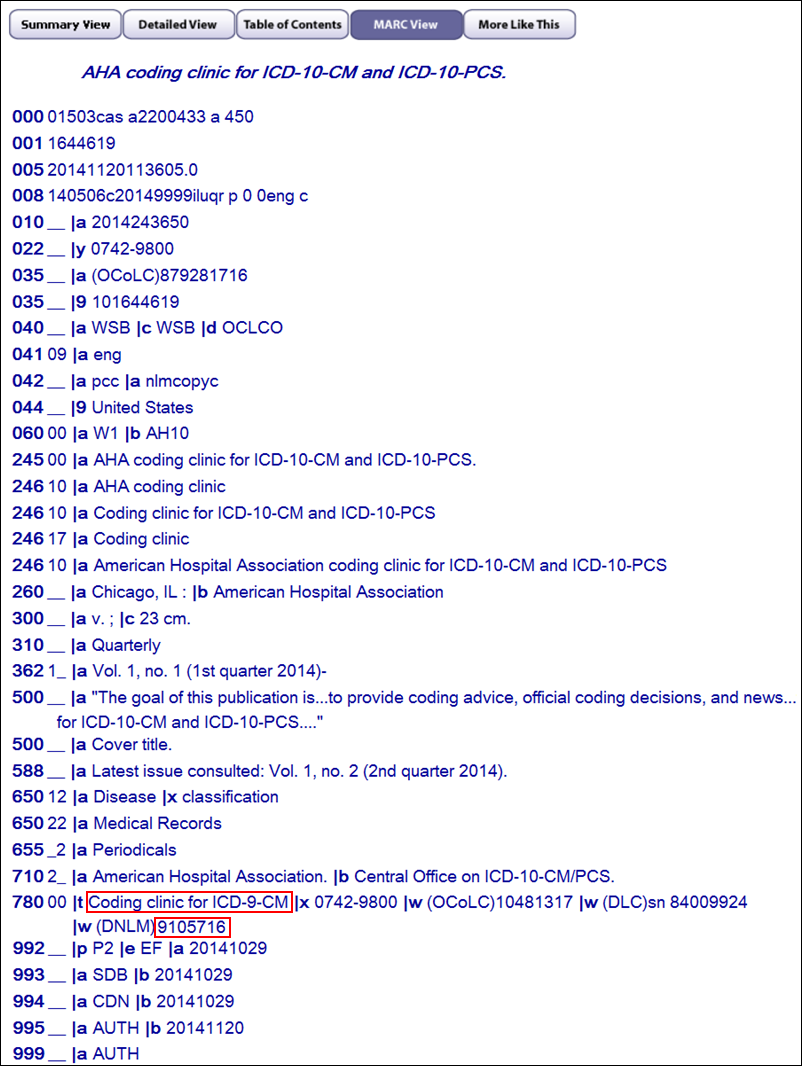
Figure 3: Scroll down to the 780 field in the MARC View.
Search
Entering the UI "9105716" in the LocatorPlus search box as a "Keyword Anywhere" search will retrieve the earlier title (see Figure 4).
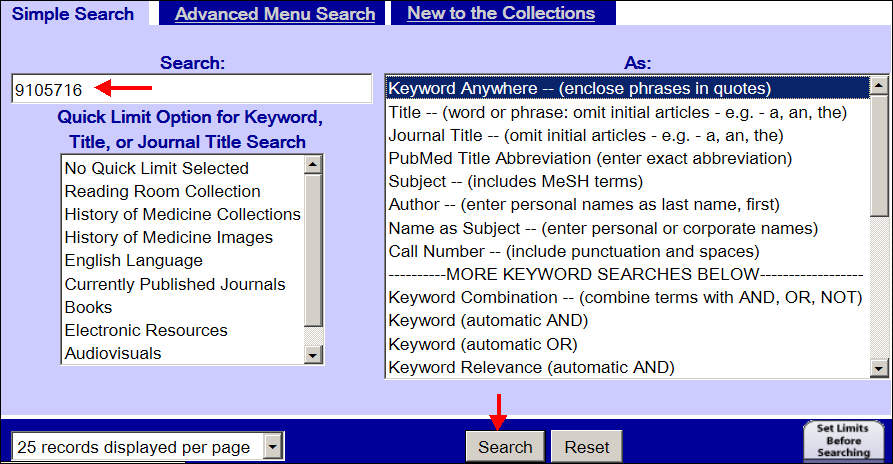
Figure 4: Enter the NLM UI in the LocatorPlus search box.