




This is a preview of updates coming to the Technical Bulletin's website in April 2026. Return to current site.
Read more about the modernization release schedule in this announcement.
Comment via the yellow feedback button in the lower right hand corner of the page. Contact the NLM Help Desk with any questions or concerns.
Does Screen Scraping ClinicalTrials.gov Work?
Does Screen Scraping ClinicalTrials.gov Work? NLM Tech Bull. 2025 Jul-Aug;(465):e4.
July 31, 2025 [posted]
Screen scraping defined
Screen scraping involves extracting data from a website by mimicking the actions a user would take when interacting with the website, such as clicking buttons and moving through pages. Data is captured through the visual content found on the user interface or from the HTML code. This technique is used when direct access to a website's data through an API isn't available to compare data from different sources or to get to data that isn't otherwise easily available. Screen scraping works by using a combination of different software programs and character recognition technology to collect data from a website.
Getting data for a single study
Some end users and organizations have used screen scraping tools on ClinicalTrials.gov in an attempt to extract data from a single study or obtain data from a group of studies. The cURL command is a popular, open-source command line utility for interacting with servers that can be used to extract data from websites. However, when the cURL command is used to try to access data from a single study on ClinicalTrials.gov, it provides limited results. This limitation happens because the modernized ClinicalTrials.gov is a Single Page Application (SPA). An SPA is a website that has only one HTML page that constantly updates based on user interactions. When a user attempts to extract data from ClinicalTrials.gov using a screen scraping technology, the response for any URL request is not the actual HTML page, but bootstrap javascript code, which is the code used by the web browser to assemble and present a fully functional webpage containing data about the study.
Using the ClinicalTrials.gov API to extract data from a single study
The best way to obtain data about a single study is to use the ClinicalTrial.gov open-access API.
- Start by going to the ClinicalTrials.gov REST API (Figure 1).
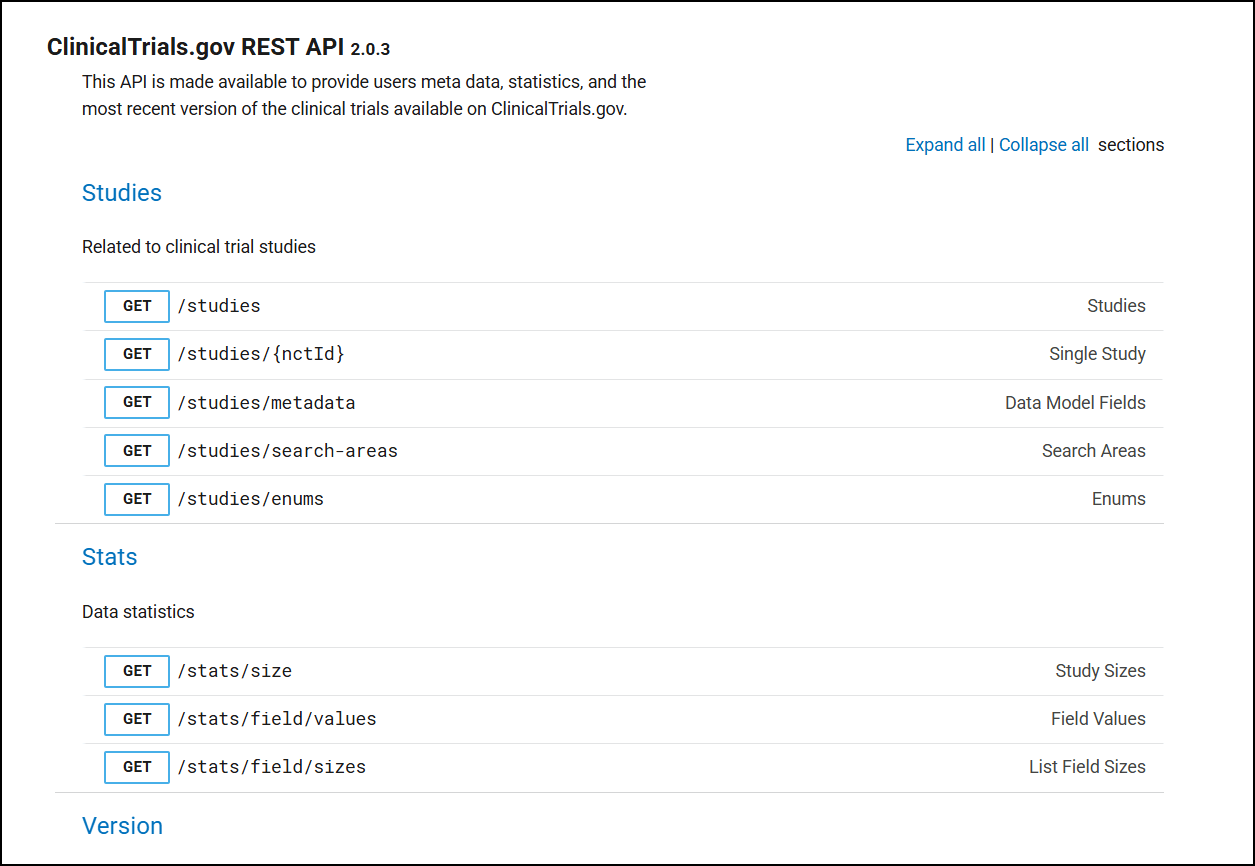
Figure 1: The ClinicalTrials.gov REST API.
- In the Studies section, expand the accordion labeled Single Study (Figure 2) and scroll down to the REQUEST section. Enter the National Clinical Trial (NCT) number in the nctId field.
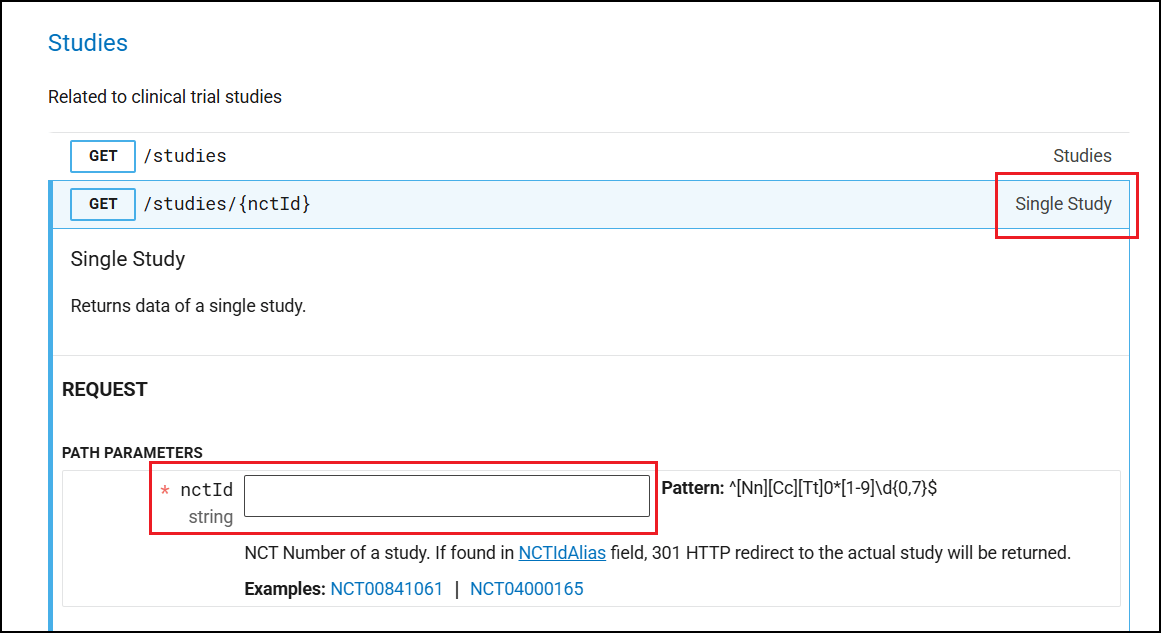
Figure 2: Single Study nctId Input Field.
- Review the request response in the RESPONSE tab (Figure 3). Click the CURL tab to see the command line and work with the API.
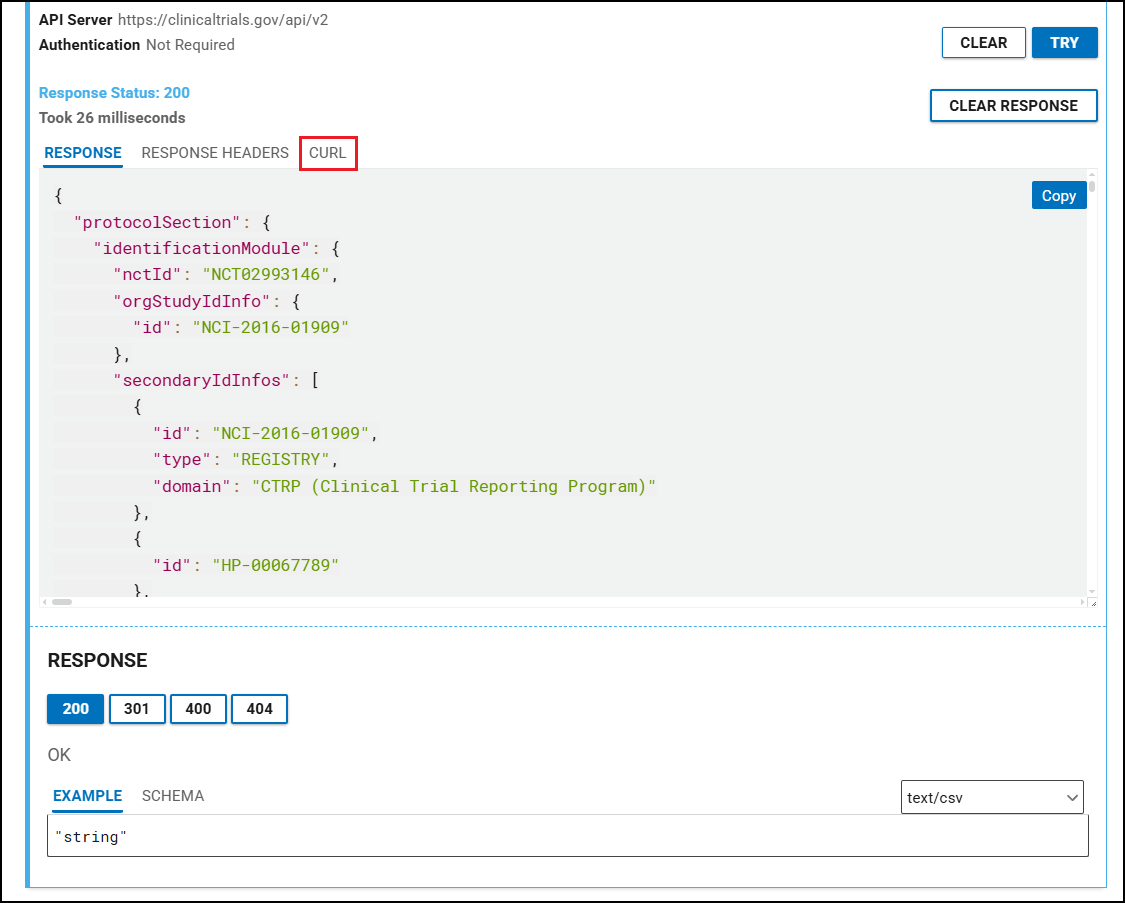
Figure 3: ClinicalTrials.gov API CURL Response for a Single Study.
In the CURL tab, you will see a URL. An example of this is below.
|
$ curl -X GET "https://clinicaltrials.gov/api/v2/studies/NCT02993146" |
Now the output is the actual usable study data in JSON format.
|
StudyIdInfo":{"id":"212494"},"secondaryIdInfos":[{"id":"2020-000753-28","type":"EUDRACT_NUMBER"}],"organization":{"fullName":"GlaxoSmithKline","class":"INDUSTRY"},"briefTitle":"Efficacy Study of GSK's Investigational Respiratory Syncytial Virus (RSV) Vaccine in Adults Aged 60 Years and Above","officialTitle":"A Phase 3, Randomized, Placebo-controlled, Observer-blind, Multi-country Study to Demonstrate the Efficacy of a Single Dose and Annual Revaccination Doses of GSK's RSVPreF3 OA Investigational Vaccine in Adults Aged 60 Years and Above"},"statusModule":{"statusVerifiedDate":"2024-09","overallStatus":"COMPLETED","expandedAccessInfo":{"hasExpandedAccess":false},"startDateStruct":{"date":"2021-05-25","type":"ACTUAL"},"primaryCompletionDateStruct":{"date":"2022-04-11","type":"ACTUAL"}, |
Getting data for studies about a specific condition or disease
Some users have scraped ClinicalTrials.gov to try to extract data on a specific disease or condition. They do this with an automated process that repeatedly enters a condition into the search box on the main search page at a frequency that far exceeds human capabilities.
To obtain data about clinical studies for a specific condition or disease using the ClinicalTrials.gov API, start by going to the Studies section (Figure 4) of the ClinicalTrials.gov REST API and scroll down to the REQUEST section. Put the name of a condition, such as "gall bladder cancer," into the query.cond field.
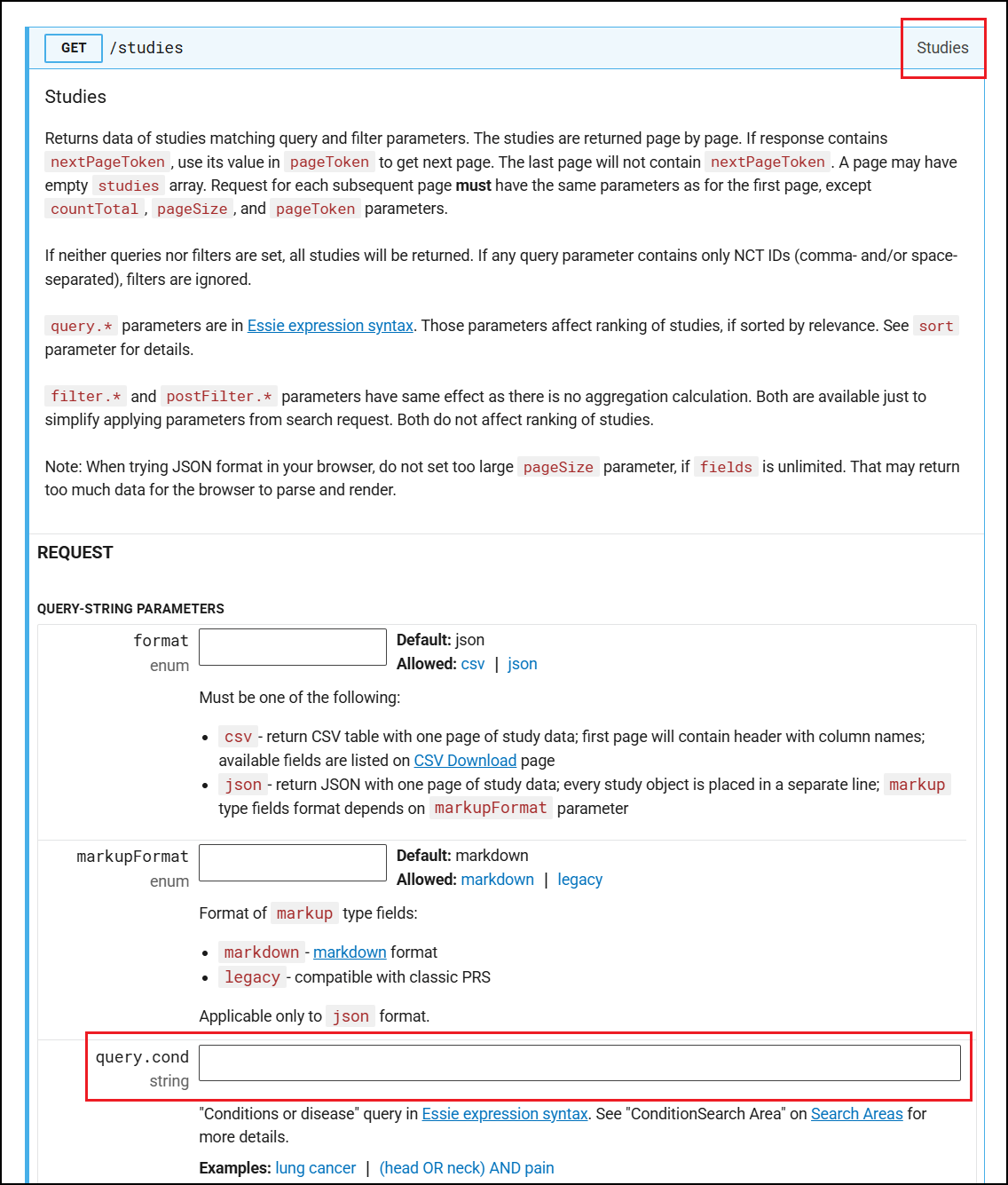
Figure 4: ClinicalTrials.gov API Search by Condition or Disease.
Click the TRY button at the bottom of the section. It may take a few seconds for the JSON format to be rendered under RESPONSE. On the CURL tab, you can see the command line for the curl utility (Figure 5). You can use this to automate the data collection.
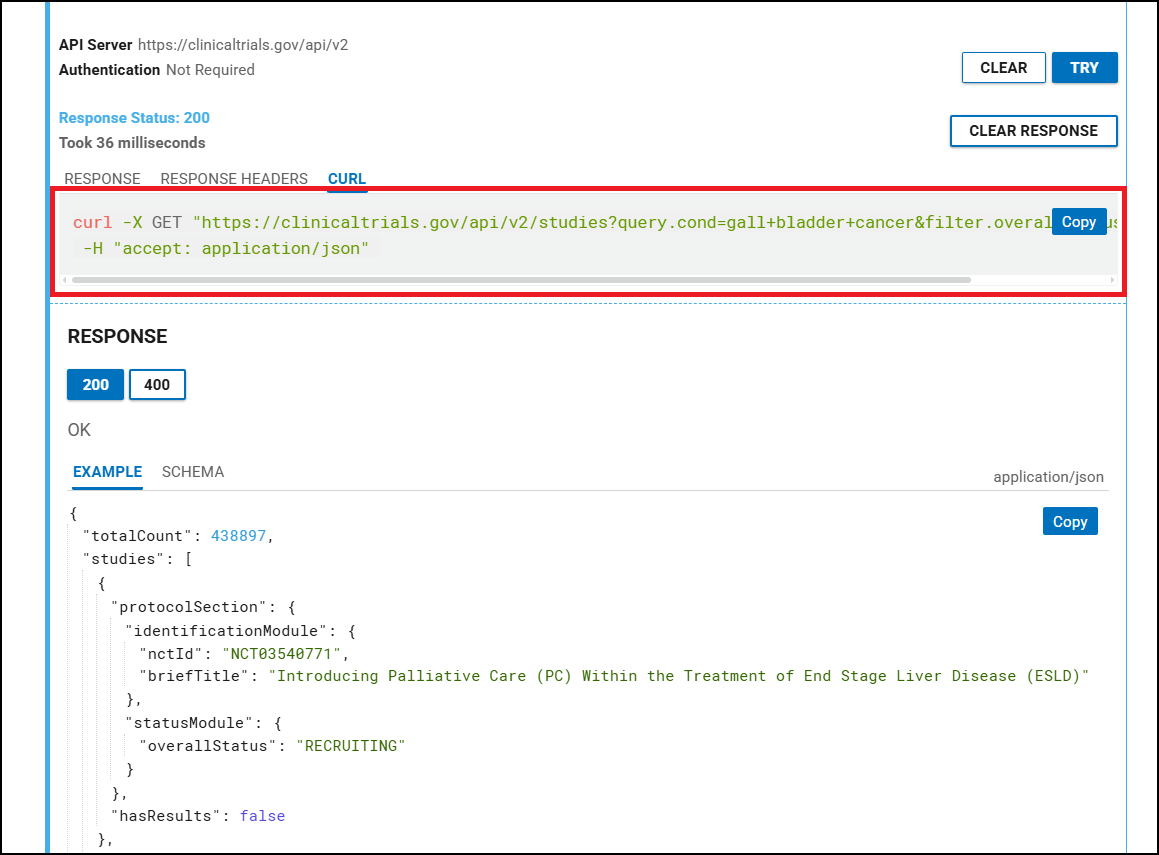
Figure 5: ClinicalTrials.gov API CURL Utility.
If you are using another HTTP client, you will need to do an HTTP GET request to the specified URL.
More information about viewing different pages of study data can be found in the Studies section (Figure 6). If you are requesting a very large amount of data and it exceeds the pageSize studies (the default value is 10), please read the notes about the use of pageToken to learn what you need to do to get the complete data set.
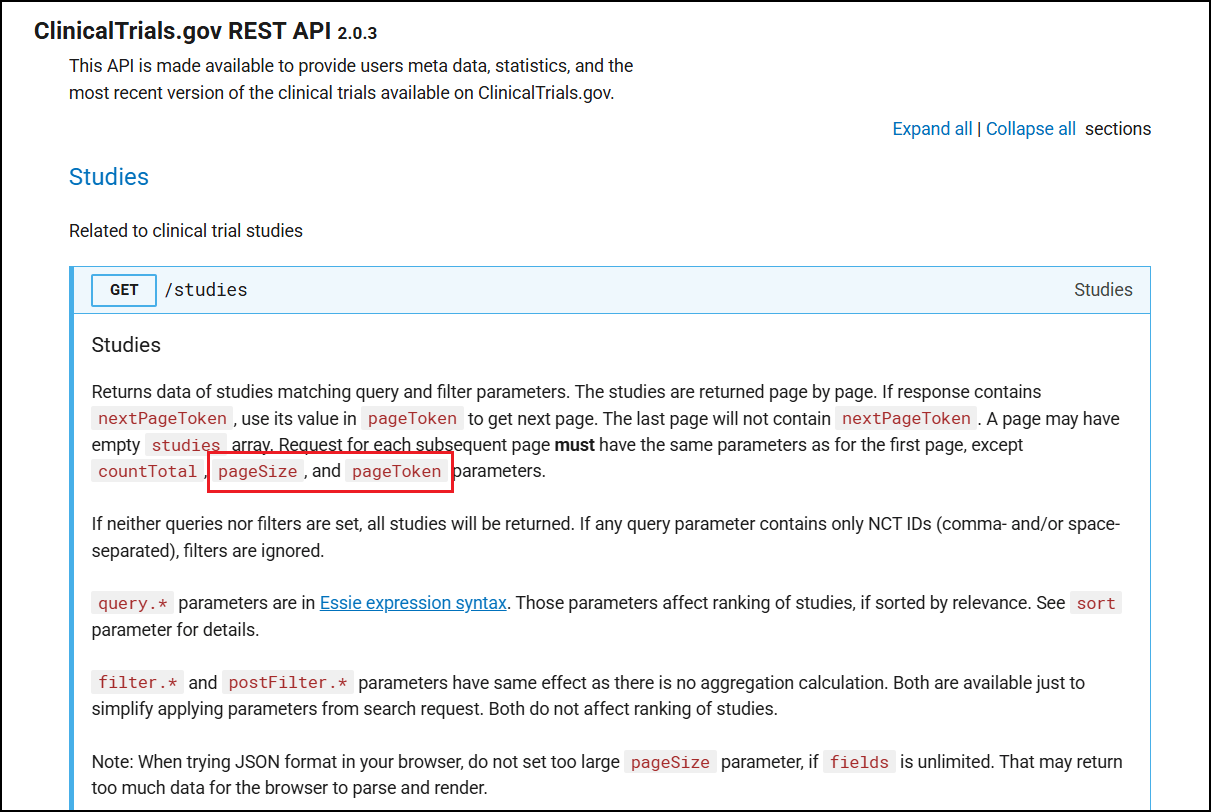
Figure 6: ClinicalTrials.gov API GET Studies Notes.
The ClinicalTrials.gov REST API is publicly available to provide users with metadata and statistics on the most up-to-date version of the clinical studies found on ClinicalTrials.gov. It provides a convenient and easy way to get data from the ClinicalTrials.gov website. This method is preferable to screen scraping techniques, which are far more laborious and less likely to provide the desired results.
RELATED
[2024-11-01]
The ClinicalTrials.gov PRS Beta Will Soon Become the Primary Website for Protocol Registration. NLM Technical Bulletin. ...
[2024-08-07]
Study Record Information Displays in the Modernized ClinicalTrials.gov . NLM Technical Bulletin. 2024 May–Jun
[2024-06-13]